Marathon Update Release September 30, 2021
Highlights
Pump Manager App (PMA) Integration
Pump Manager App maintenance and failure events now show up in Marathon, alongside Marathon KPI anomaly detection events; they appear in the following areas
1. Asset cards
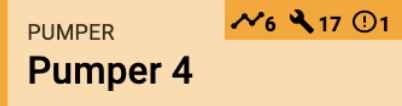
- Data icon: model-driven Marathon event
- Wrench icon: PMA maintenance event
- Exclamation icon: PMA failure event
2. Asset time-series data
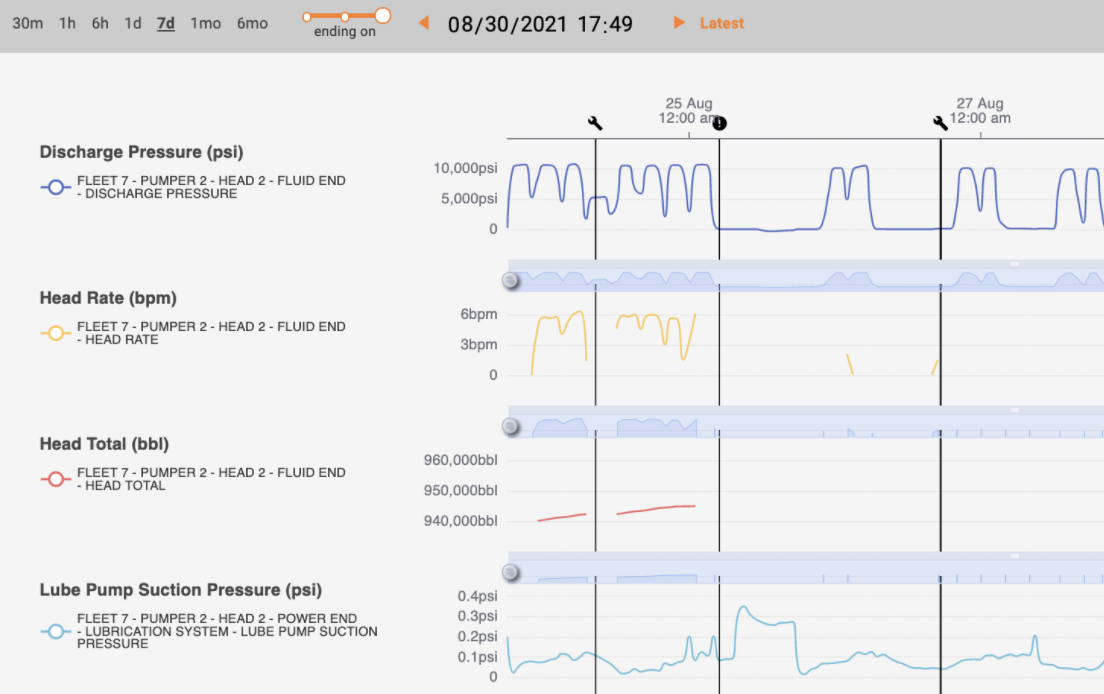
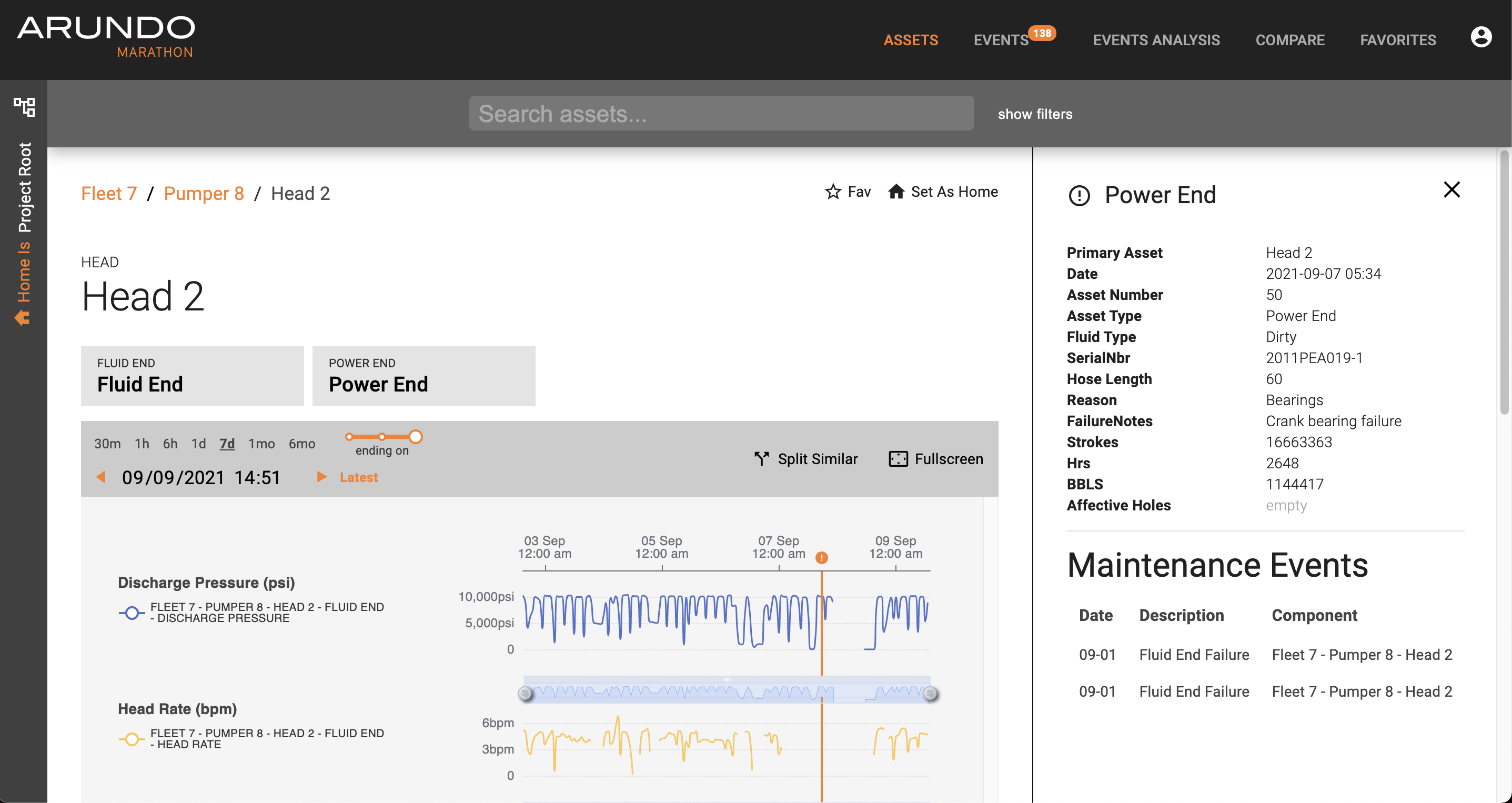
3. PMA maintenance and failure events will show up as a black, vertical hairline that spans all time-series charts, with the relevant icon along the top y-axis - Clicking on the icon or hairline highlights the icon and shows relevant PMA data:
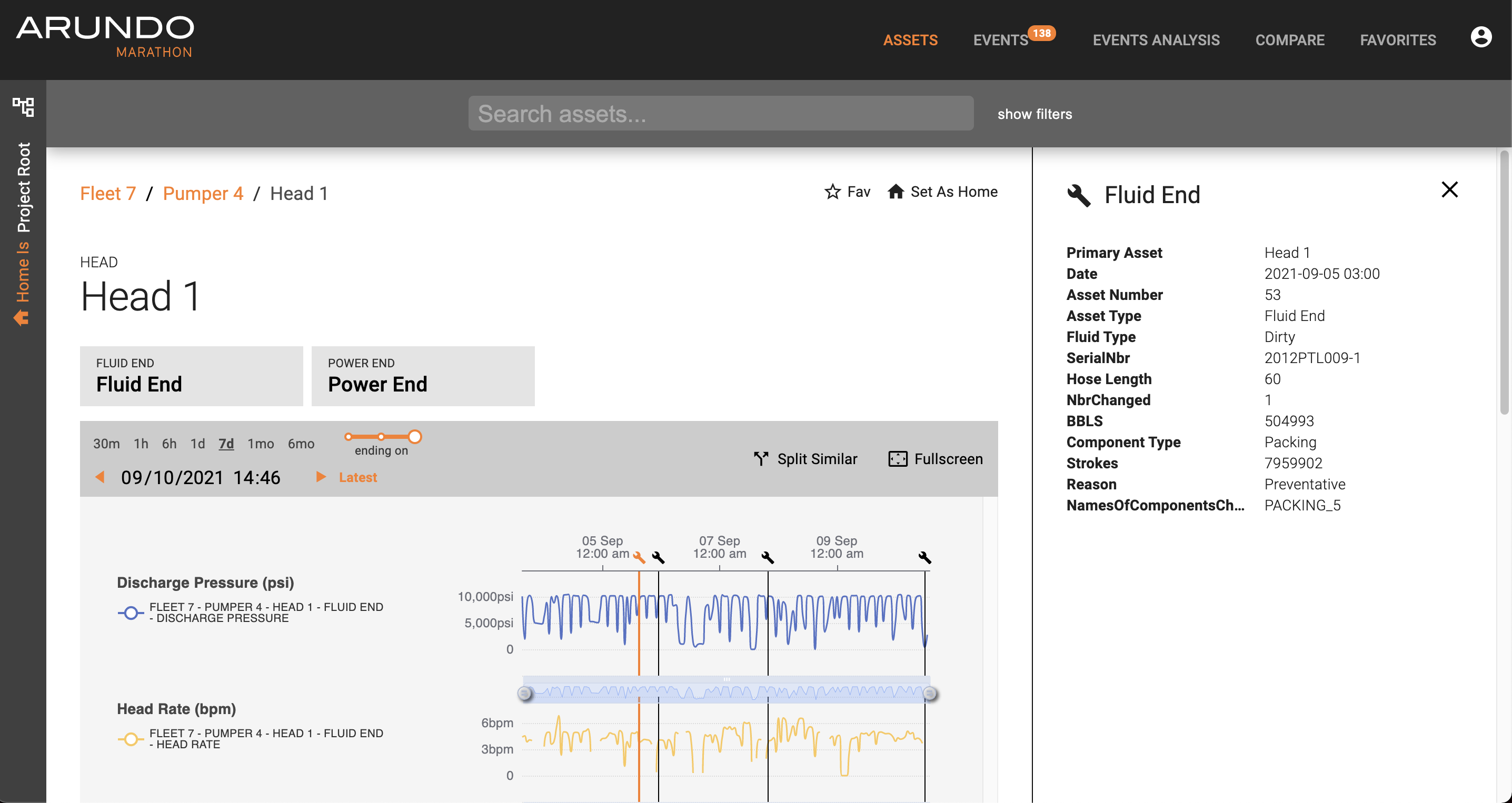
- When viewing a PMA failure event, up to three preceding maintenance events will also be shown
Fixes
- "Starting on", "around", and "ending on" notch in events defaulted to select "ending on", while showing "around" as associated text and exhibited "around" behavior. This has now been fixed and the default selected notch is set to “around”
Known Issues
- Time-series charts on event pages are missing time stamps X-axis on the top
- Time-series data refreshes each time events are re-polled (every one minute)
- Dragging and dropping more than 4 assets in the Compare tab produces an error
- List of prior maintenance records displayed below a failure record may not always correspond directly to the asset of the failure record
- When user searches for an asset from time-series Asset view, results don't populate the entire screen; nevertheless, results can still be scrolled through to reach the end of the list.
Upgrade Instructions
- Marathon updates automatically, so no manual steps are required.
Last update: April 11, 2024