Favorites

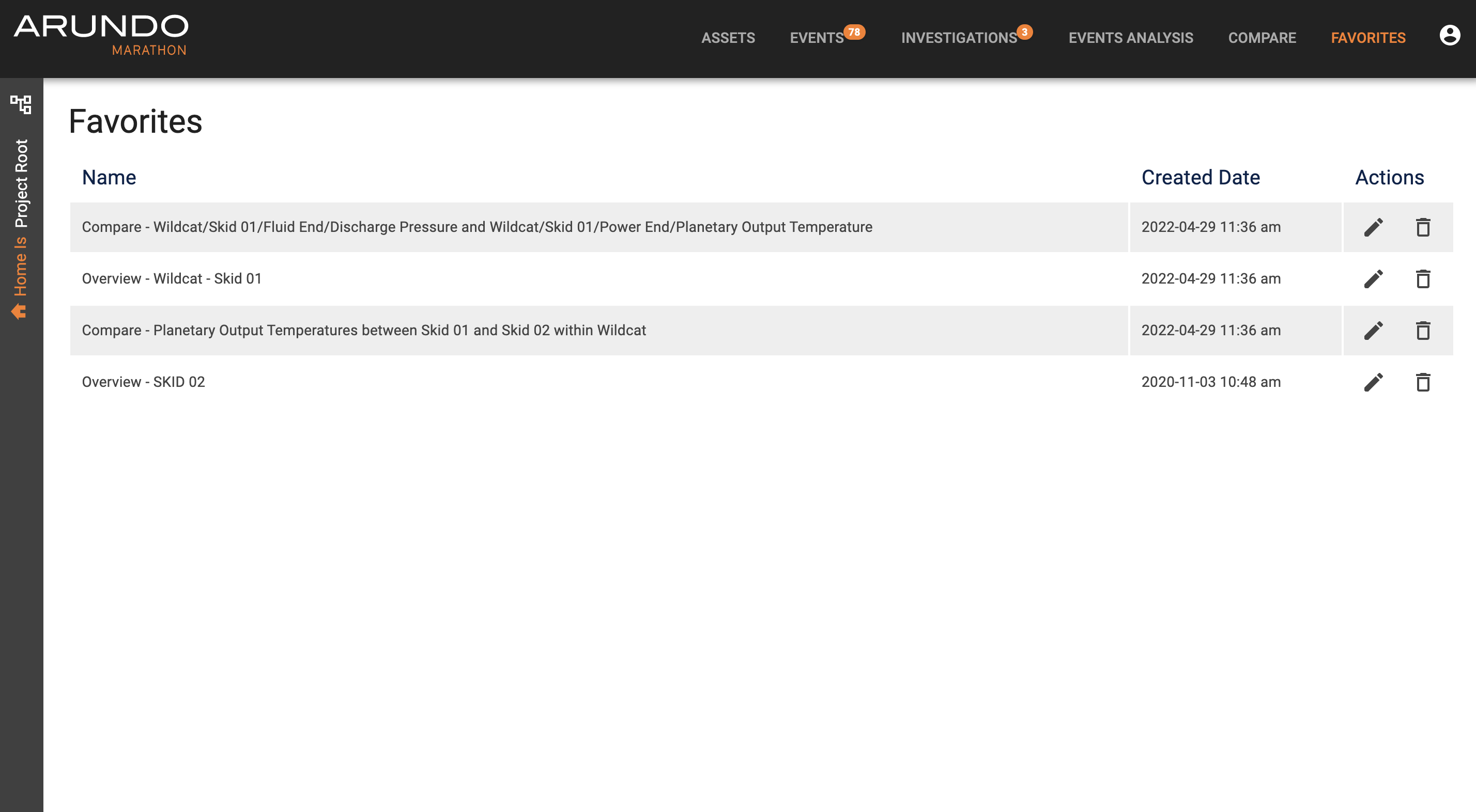
The Favorites page displays a list of saved items. It's a quick and easy way for our user to revisit a previous page. The favorite items are not shared and they vary between machines of different users.
Favoriting an item
There are two types of items you can favorite: a specific asset or a comparison. The steps to complete are the same.
Favoriting an asset
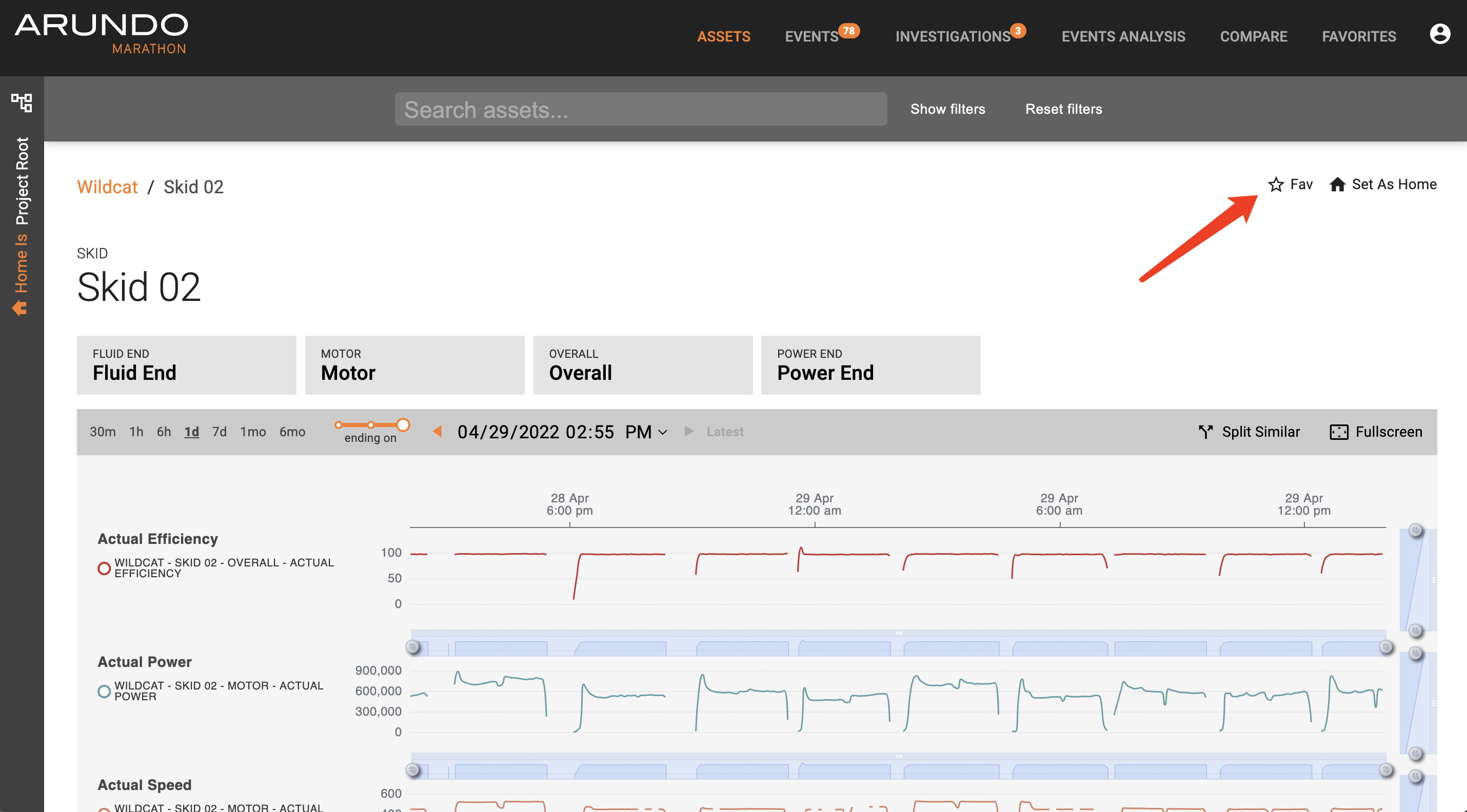
Here's how to favorite an asset:
- Access Marathon.
- Use the left panel asset tree or main view asset cards to locate to a desired asset.
-
On the top right of the asset page, click Fav button to save the asset to your favorites.
Favoriting a comparison
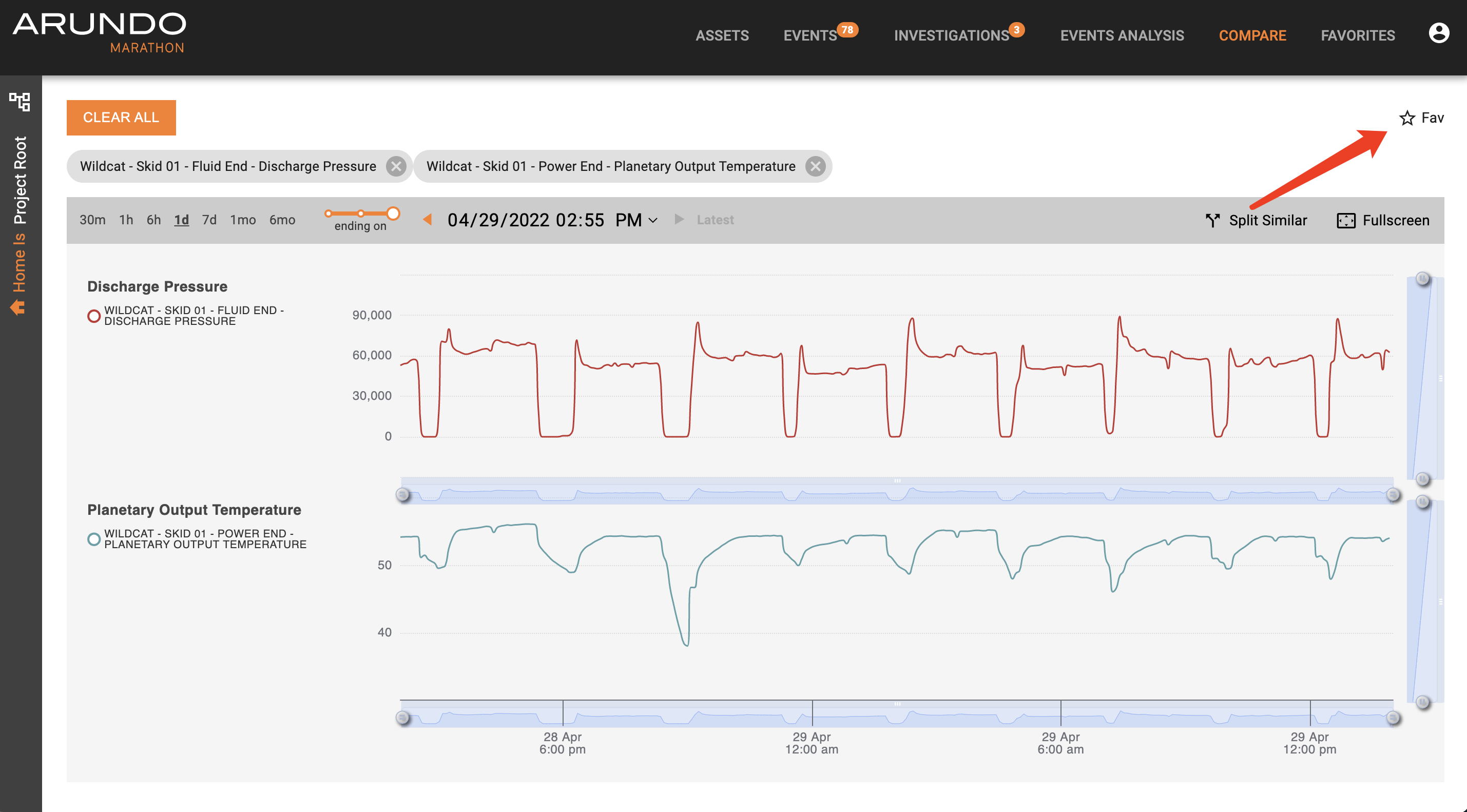
Here's how to favorite a comparison:
- Access Marathon.
- Click Compare on the Navigation bar and run a comparison.
-
On the top right of the asset page, click Fav button to save the comparison to your favorites.
Editing your favorites
You can view, rename and delete your favorites in the Favorite page. Click on a row to navigate to the favorited view.
Rename
Click on the pencil button at the end of each item to enable renaming.
Delete
Click on the trash bin button at the end of each item to delete it. A dialogue will pop up asking for your confirmation.
You can also delete a favorite by going back to its page and click on the Unfav button to remove it from the list.