Accessing Marathon

Here's how to access Marathon.
Prerequisite
Contact your system administrator to get a Marathon user account.
- Open Google Chrome.
- Go to https://marathon.arundo.com (US and non-EU organizations) or https://marathon.eu.arundo.com (EU organizations)
- Click LOG IN.
- Enter your login credentials.
- Click LOG IN.
Marathon will remember your identity for a few days after each login, saving you from having to re-enter your login credentials. If you've not used Marathon in a few days, you will be required to re-enter your credentials.
Resetting your password
If you have forgotten your password, you can set a new one (assuming you still have access to the email account of your registered user)
- Go to https://marathon.arundo.com (US and non-EU organizations) or https://marathon.eu.arundo.com (EU organizations)
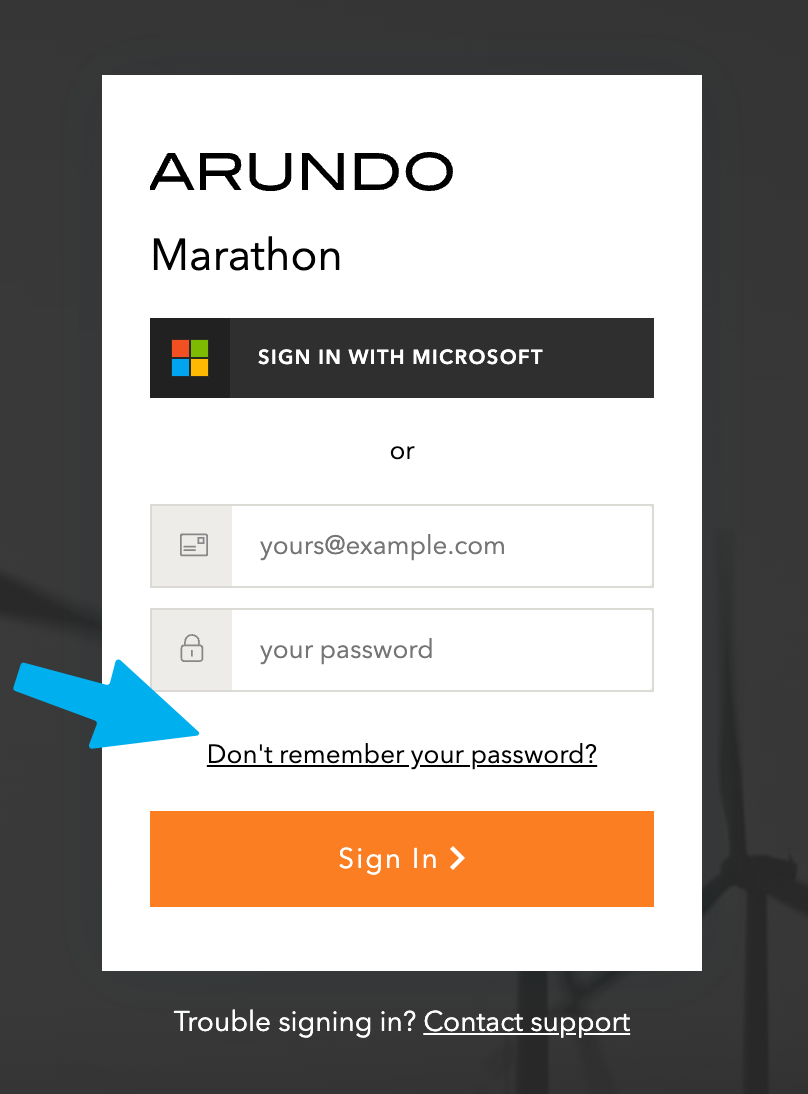
- Click on the link "Don't remember your password?"
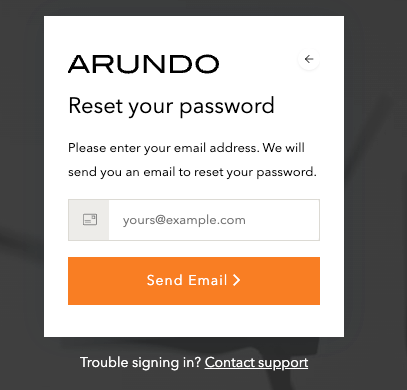
- On the subsequent screen, input your email address and confirm by clicking "Send Email"
- Check your email inbox and follow the instructions in the auto-generated email to set a new password
- If you have not received an email within 30 minutes, please file a support request using the "Contact support" link
Last update: April 11, 2024